
Latest Updates
News Archive
Here you’ll find details of each major update to our Rainbow Analyst spreadsheet audit Excel add-in. And to keep in touch, you can also follow our Facebook page.

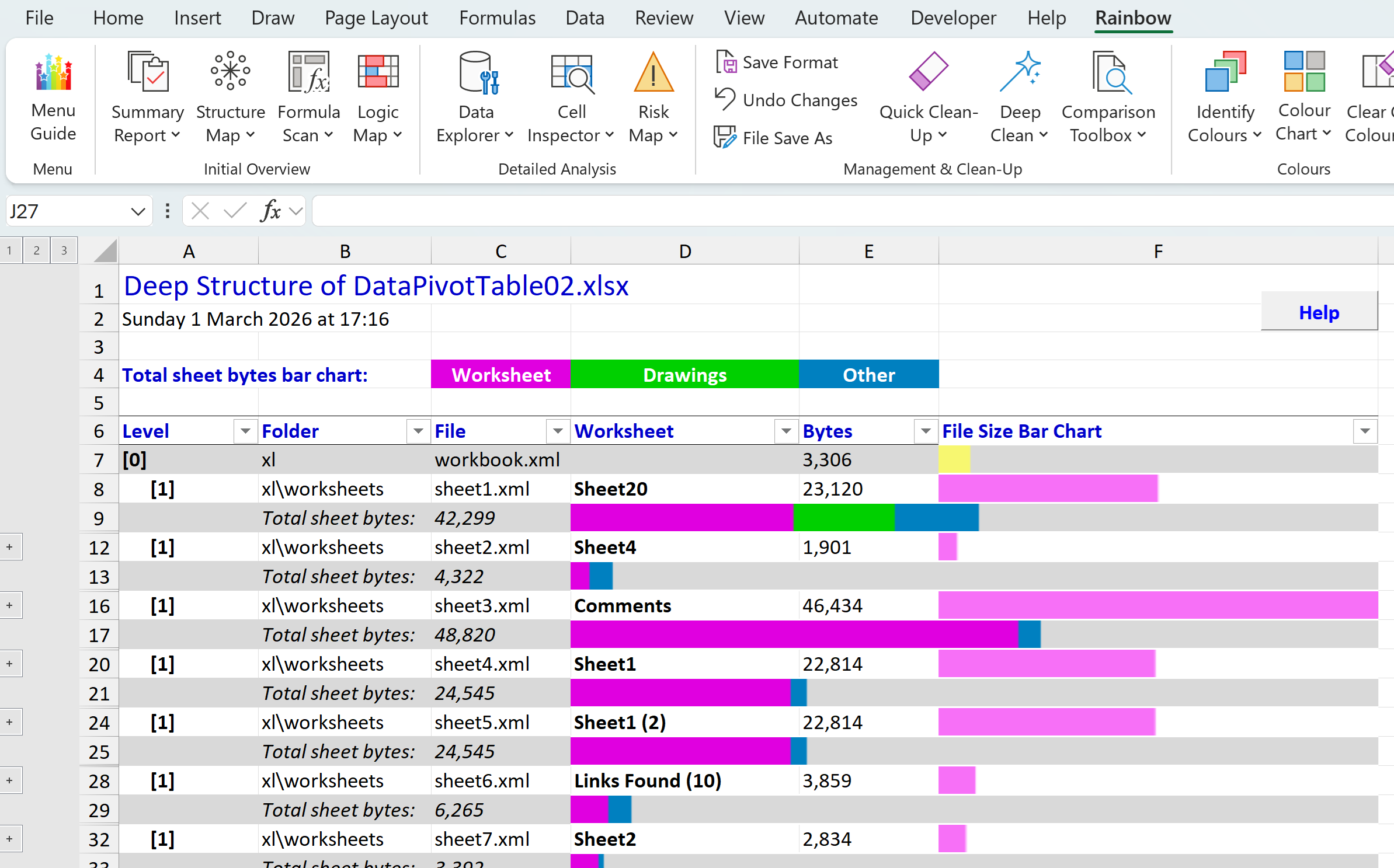
Deep Structure report and installation clean-up
In our last post we introduced the new Deep Structure function in Rainbow, which you’ll find on the menu under Summary Report. This lets you see at a glance which are the largest worksheets (tabs) in your workbook, and what sort of content each worksheet holds. And…
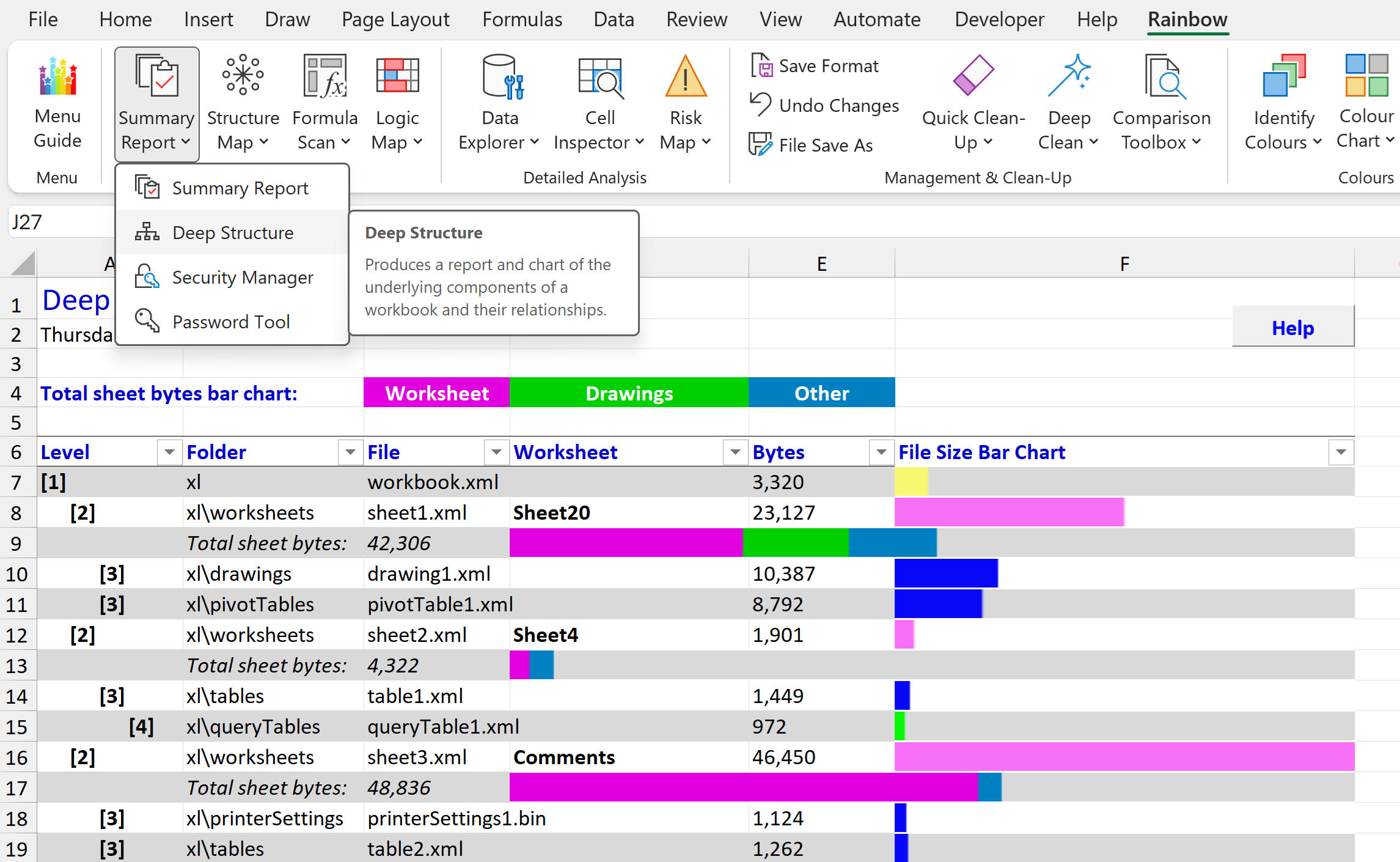
Rainbow 26.02 reveals what’s buried in your workbook
Did you know that there’s a completely different way of looking at an Excel spreadsheet? And that it can show you information that you didn’t know was there, helping you avoid disastrous errors like the leak of data about Afghan personnel in 2022 that was…

See a logic map of your whole workbook with Rainbow 25.01
There’s been a Logic Map function in Rainbow for some time, showing you very useful information about which cells are inputs (i.e. other calculations depend on them, but they themselves are not calculated), which cells are workings (i.e. they are calculated, and…
Rainbow version 8.0 coming soon
Over the past few months we’ve been working on the next release of Rainbow, which will have so many new features that we’ve decided to badge it as version 8.0. As you can see from the the screenshot above, we’ve reorganised the Rainbow ribbon, and…

New Rainbow versions are even easier to use
We’ve just released Rainbow Analyst Professional version 7.2.2, which is all about ease of use and fewer mouse clicks to get where you’re going. In particular, as you can see from the composite screenshot above, we’ve added a section to the…
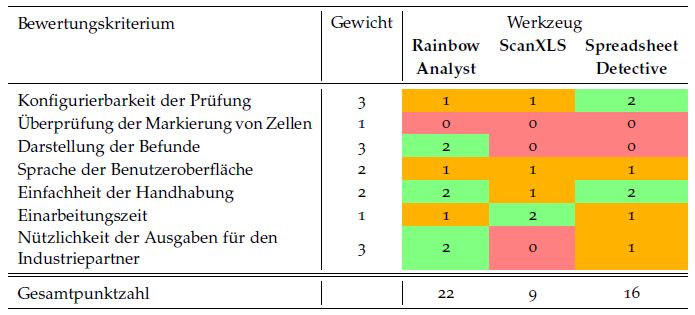
Rainbow Analyst ranked #1 in independent study
A research report by three software engineering students at the University of Stuttgart has ranked Rainbow Analyst as number 1 among spreadsheet auditing tools costing less than 200 euros. As you can see from the summary table on p.41 of the report (shown above),…
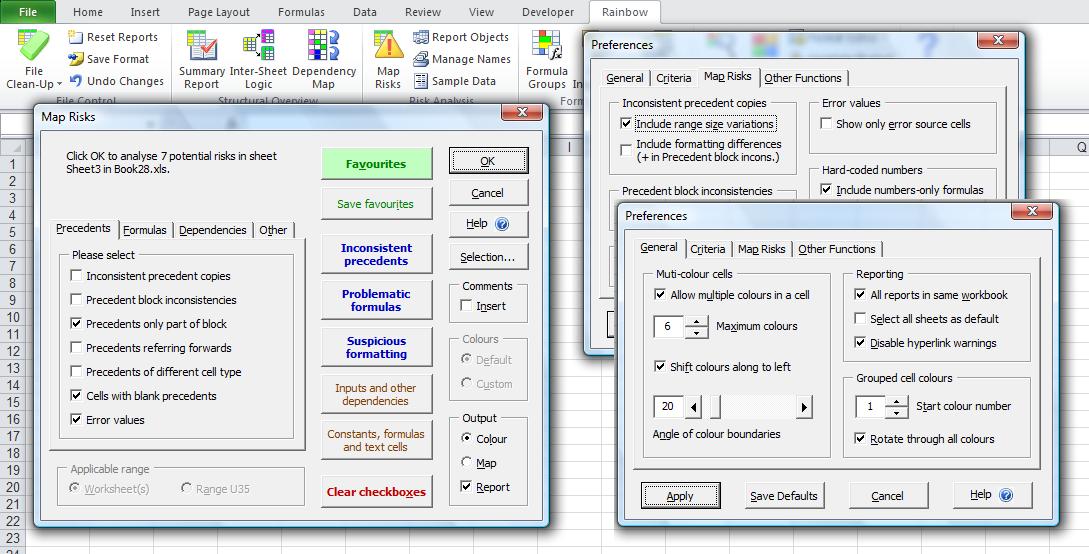
Version 7.2.1 speeds up risk analysis
We’ve now released Rainbow Analyst Professional 7.2.1, which lets you analyse risks in your spreadsheet in just two clicks using Rainbow’s “Map Risks” function! We realised that the 28 different Map Risks analysis options could be a bit…

Watch Rainbow Analyst in action
It can take a while to get your head around what the various functions in Rainbow Analyst Professional 7.2 can do for you. So on our new Demo page we’ve put together a series of short (3-4 minutes) videos on YouTube to demonstrate how some key Rainbow functions…
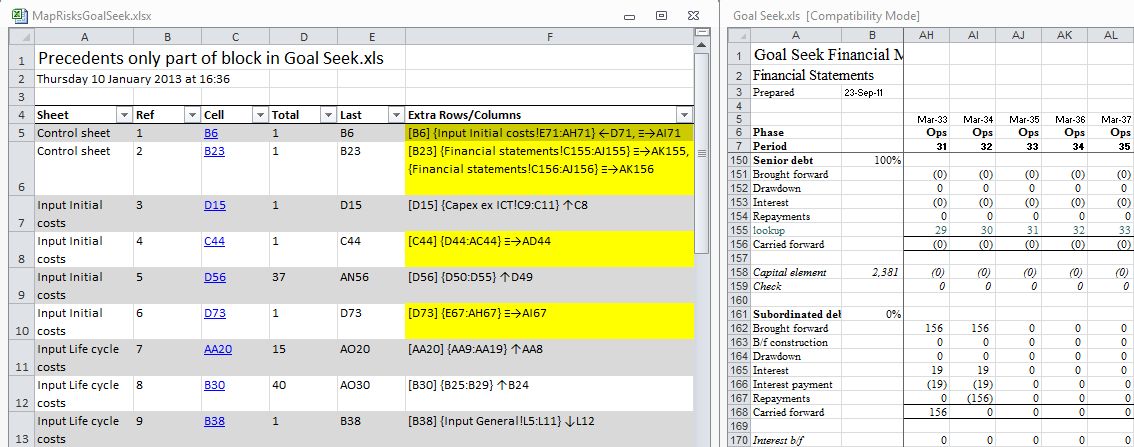
Put an end to incomplete SUM() ranges
It’s probably the classic spreadsheet error; the developer writes a simple SUM() formula which adds up sales of all products, and this works fine until a new product is added but is left out of the SUM() formula, which now gives an incorrect result. Back in the…