
Latest Updates
News Archive
Here you’ll find details of each major update to our Rainbow Analyst spreadsheet audit Excel add-in. And to keep in touch, you can also follow our Facebook page.

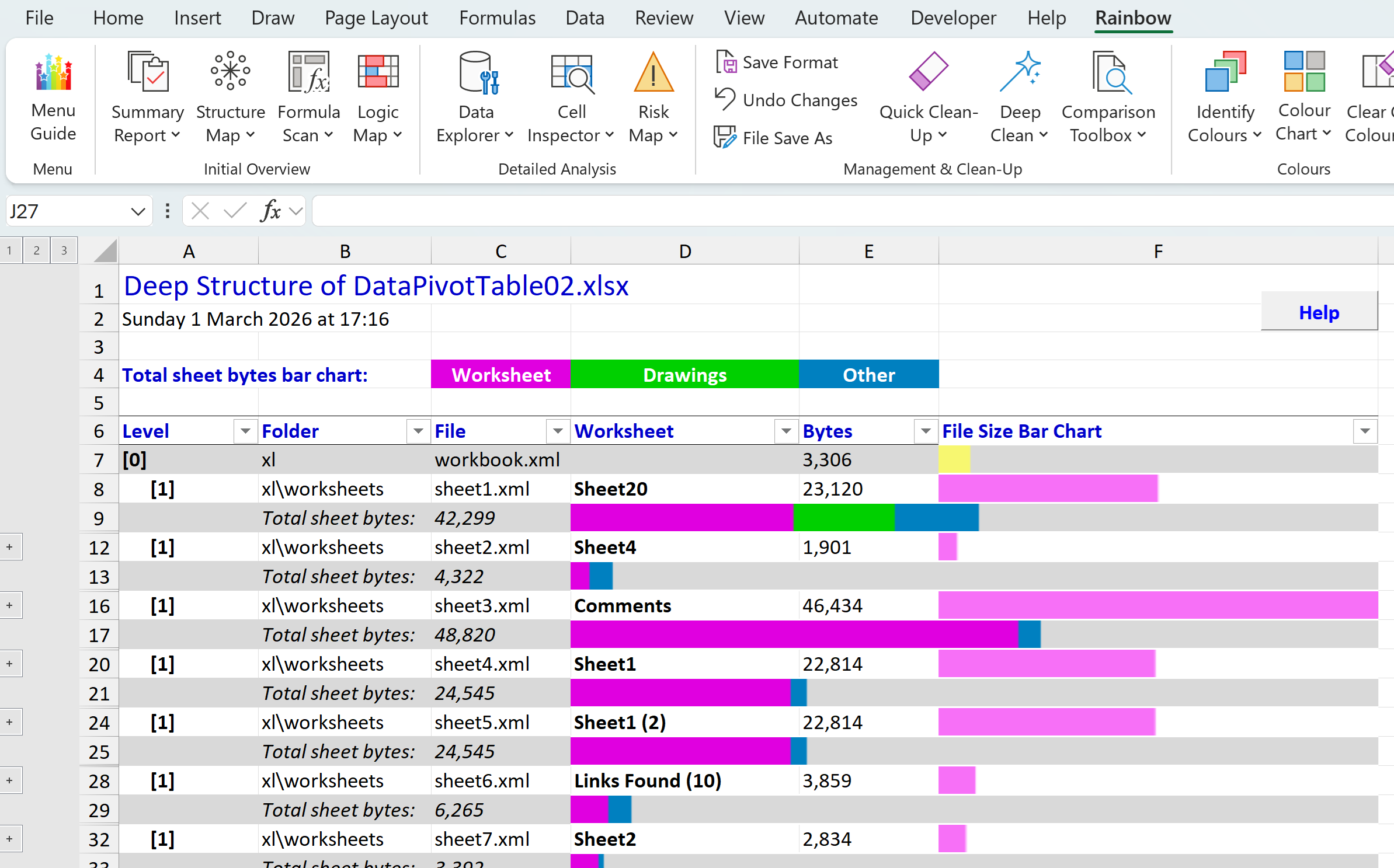
Deep Structure report and installation clean-up
In our last post we introduced the new Deep Structure function in Rainbow, which you’ll find on the menu under Summary Report. This lets you see at a glance which are the largest worksheets (tabs) in your workbook, and what sort of content each worksheet holds. And…
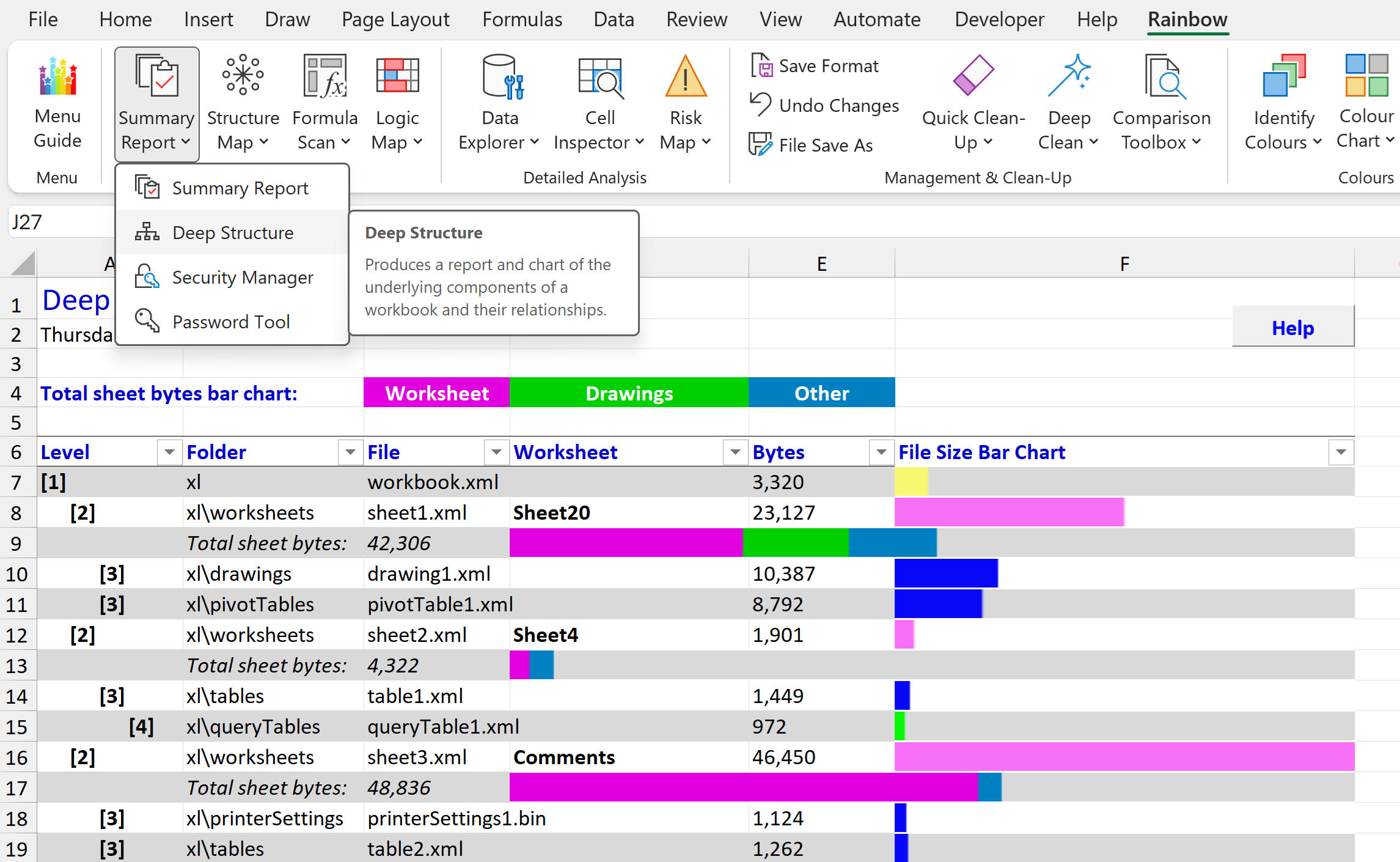
Rainbow 26.02 reveals what’s buried in your workbook
Did you know that there’s a completely different way of looking at an Excel spreadsheet? And that it can show you information that you didn’t know was there, helping you avoid disastrous errors like the leak of data about Afghan personnel in 2022 that was…

See a logic map of your whole workbook with Rainbow 25.01
There’s been a Logic Map function in Rainbow for some time, showing you very useful information about which cells are inputs (i.e. other calculations depend on them, but they themselves are not calculated), which cells are workings (i.e. they are calculated, and…
Free upgrade to Professional version 5
If you are using an earlier version of Rainbow Analyst Professional, you are missing out on a wide range of new features introduced in version 5, not to mention the completely redesigned user interface (see details below on this page). Now that version 5 has been…
Rainbow Analyst Personal available free
Are you looking for a simple but powerful spreadsheet checker for casual or home use? Our Rainbow Analyst Personal add-in is now available completely free of charge! It offers many of the key features of our flagship Professional product, such as Formula Groups and…
New features in version 5.0
The most obvious new feature in version 5.0 of Rainbow Analyst Professional is a completely redesigned front end. Nearly all Rainbow’s functions are now accessed via a dialogue box similar to the one shown here, which lets you change the selected workbook/ worksheet…
The Cell Inspector function
Version 5.0 is the first full version of Rainbow to include the Cell Inspector, an interactive function which displays the precedents and dependents of the currently selected cell, and also provides a best-guess description of the meaning of each cell. It will take…